
Friends
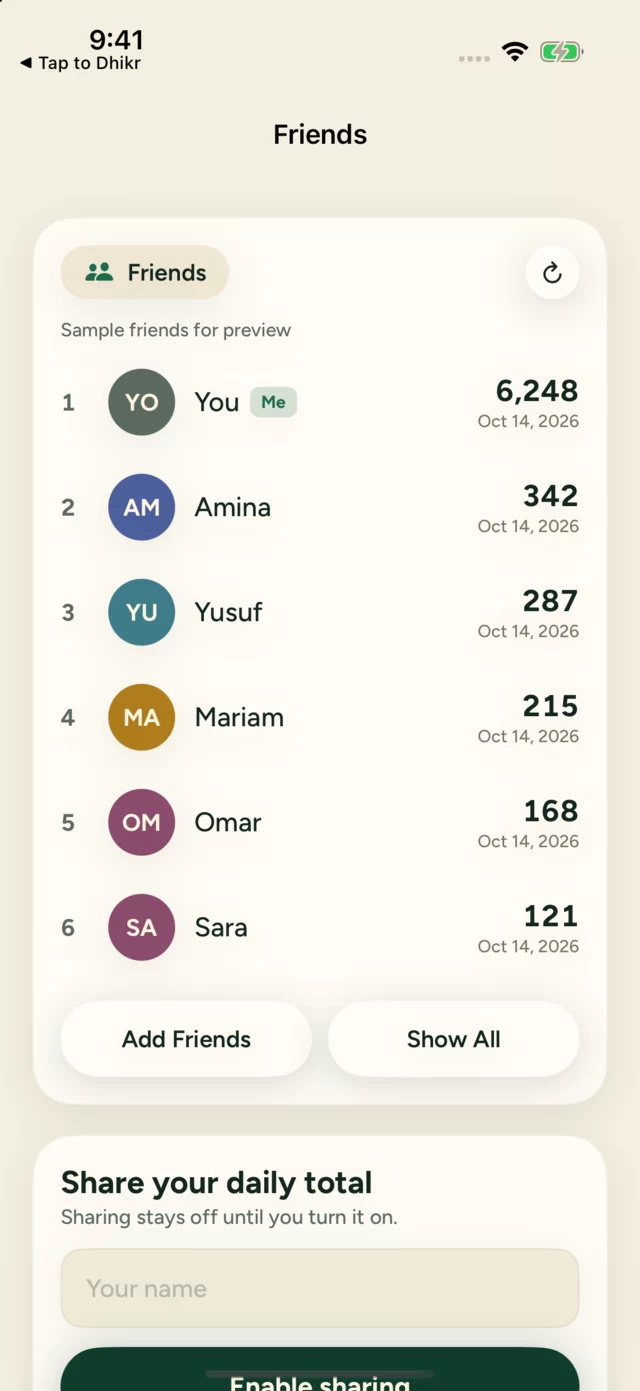
Share your daily total with friends using a four-digit invite code.
Friends lets you compare daily counts. You'll find it in the Garden tab, under Dhikr with friends. It is opt-in, and it needs an iCloud account on your iPhone.
What is shared
When you turn sharing on, a small snapshot is published containing only:
- your display name
- today's total
- when it was last updated and when it expires
Your phrases and history stay private. Your friends list is not published.
Add a friend
Share your code
In Garden, tap Invite, enter a display name and enable sharing. You'll get a four-digit invite code to send to a friend.
Enter their code
Tap Add Friends and enter your friend's four-digit code, or paste their invite message.
If a friend doesn't appear, ask them to enable sharing first.
Stop sharing
Open Friends from Garden and choose Stop sharing. Stay connected to iCloud until the app confirms the change. This removes your shared snapshot and doesn't delete your local counting history.
Keep your code to people you trust
Anyone with your code can see the daily total you share. The code is not a password.